ClinicAI – Clinic Management System
Single data store for KPIs and lists to avoid drift and duplicate logic at scale.
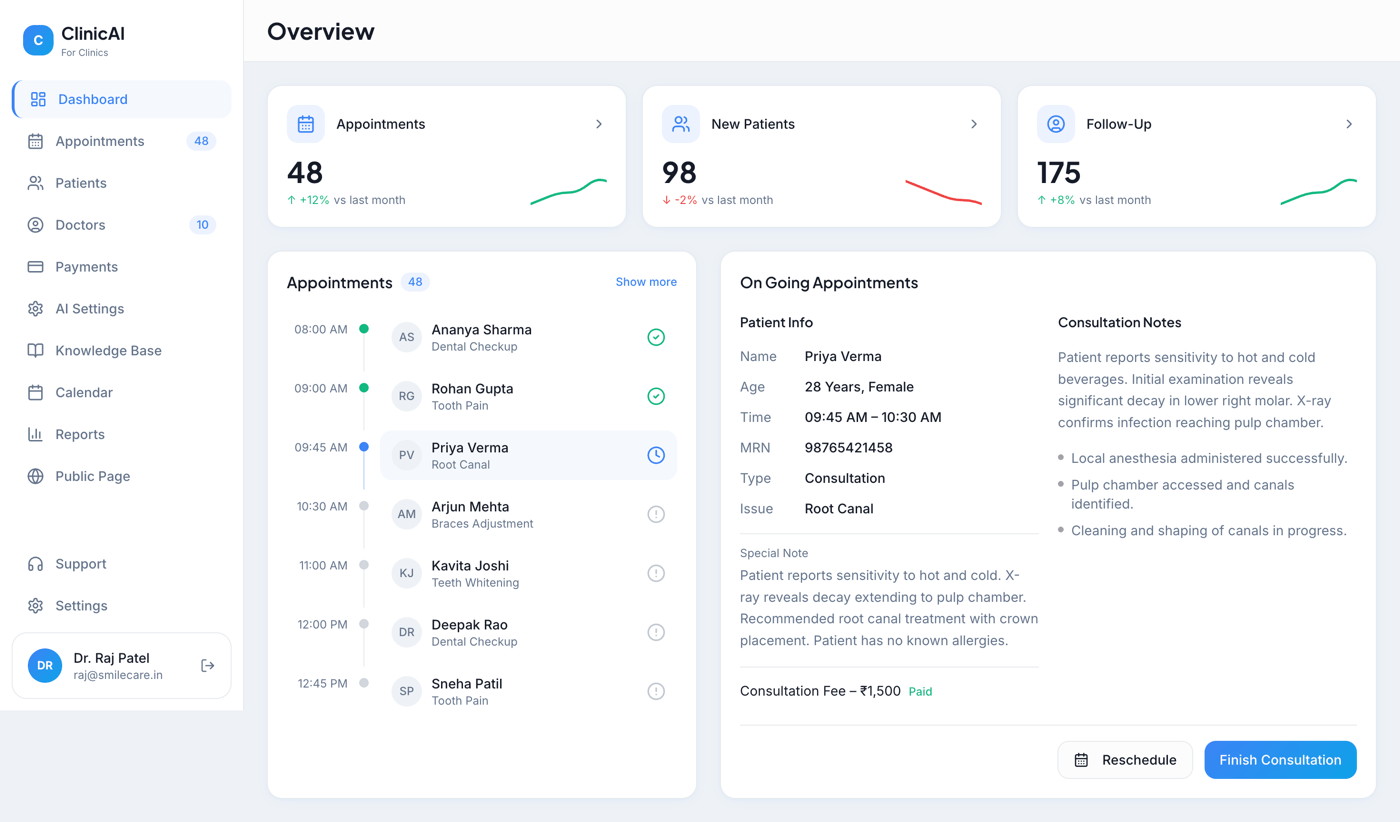
Single platform with a consistent data model for appointments, patients, doctors, and payments. Ongoing consultation view with structured notes for continuity of care.
Product Overview
A closer look at the product surface, the business problem it solves, and the outcomes the system is designed to produce.
Why this system exists
Appointment and patient data scattered across tools lead to duplicate entry, inconsistent KPIs, and no single place to see an ongoing consultation. Manual follow-ups and payment tracking do not scale as clinic volume or locations grow.
Centralize operations
Single data store for KPIs and lists to avoid drift and duplicate logic at scale.
Reduce manual effort
Appointment and patient data scattered across tools lead to duplicate entry, inconsistent KPIs, and no single place to see an...
Improve reporting visibility
Views designed for high daily appointment volume and multiple concurrent users (doctors, front desk).
Support scalable delivery
KPI and trend indicators read from the same store as lists to avoid drift and duplicate aggregation logic.
Key Capabilities
The reusable template turns architecture tags into product capability cards so every domain communicates what the system actually does.
Unified domain model
Single platform and data model for appointments, patients, doctors, payments, and reports so one source drives all views.
Clinical UX
Ongoing consultation view with structured patient info, MRN, special notes, and consultation notes so context is preserved across...
Operational KPIs
Dashboard and list views backed by the same store so KPIs and lists stay in sync without separate pipelines.
Continuity of care
Single platform and data model for appointments, patients, doctors, payments, and reports so one source drives all views.
System Flow
A reusable process view showing how inputs become operational outcomes across AI, SaaS, analytics, healthcare, CRM, and internal tool projects.
Patient Touchpoints
Appointments, records, consultation notes, and payments enter a shared workflow.
Care Workflow
Single platform and data model for appointments, patients, doctors, payments, and reports so one source drives all views.
Service Modules
Ongoing consultation view with structured patient info, MRN, special notes, and consultation notes so context is preserved across sessions.
Reporting Layer
Views designed for high daily appointment volume and multiple concurrent users (doctors, front desk).
Continuity of Care
Single data store for KPIs and lists to avoid drift and duplicate logic at scale.
Architecture Overview
Layered cards make the system shape visible without exposing client-specific infrastructure or overfitting the page to one project type.
User Experience Layer
Dashboards, chat surfaces, and workflow screens provide a clear operating surface.
AI Layer
Model calls, scoring, summarization, or agent behavior are isolated behind defined interfaces.
Knowledge Layer
Domain context, embeddings, records, or normalized data provide grounding for decisions.
Workflow Layer
Queues, cron jobs, events, and rule-based actions run outside the critical path.
Analytics Layer
Reporting views make model output and operational status visible to teams.
Integration Layer
External sources and APIs connect through explicit sync or ingestion boundaries.
Scale & Production Considerations
Practical engineering concerns are promoted into scan-friendly cards instead of buried in long architecture notes.
Scalability
Views designed for high daily appointment volume and multiple concurrent users (doctors, front desk).
Performance
Primary screens prioritize fast reads, focused data loading, and predictable interaction paths.
Data Consistency
A unified model reduces drift between dashboards, lists, workflows, and reports.
Reliability
KPI and trend indicators read from the same store as lists to avoid drift and duplicate aggregation logic.
Security
Access-sensitive workflows are designed around explicit routes, controlled surfaces, and future authorization boundaries.
Extensibility
New modules, integrations, and domain-specific workflows can be added without changing the full system shape.
Design Decisions & Trade-offs
A concise view of the implementation choices that shaped the product, the architecture, and the demo boundary.
Unified Data Model
Why: Unified platform favored over best-of-breed per domain; extensibility and clear boundaries matter for long-term maintenance.
System Design Choice
Why: Structured notes and MRN required discipline in data entry in exchange for reliable continuity of care.
Tech Stack
The stack is always visible and grouped by role so technical reviewers can quickly understand the implementation surface.
Frontend
Product Logic
Related Systems
Other portfolio systems with overlapping domain, architecture, or implementation patterns to ClinicAI.
AI Hiring Assistant Platform
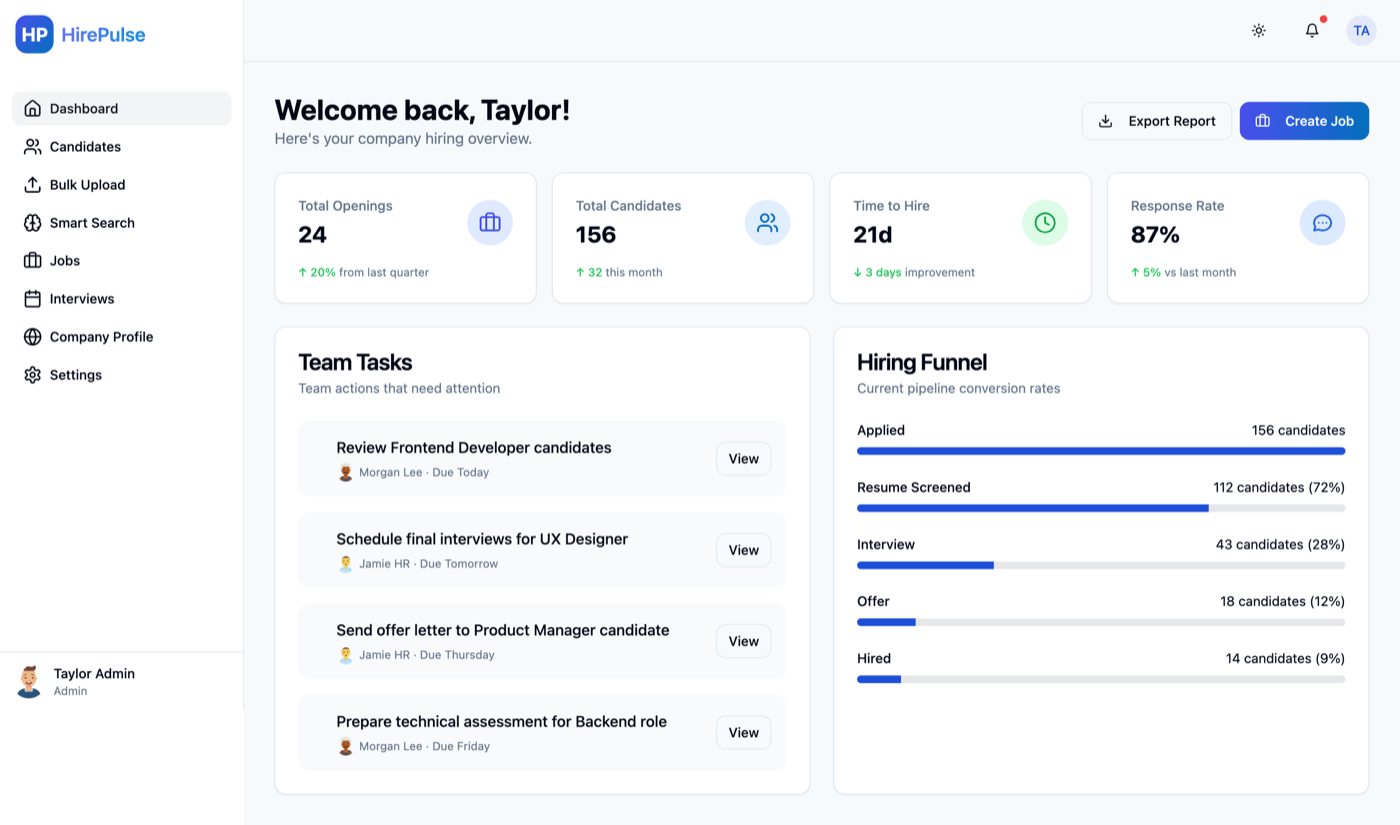
Modular AI pipeline with separated parsing, JD matching, and scoring layers. Async processing and queue-based ingestion for high-volume candidate flow.
AI Partner Business Management
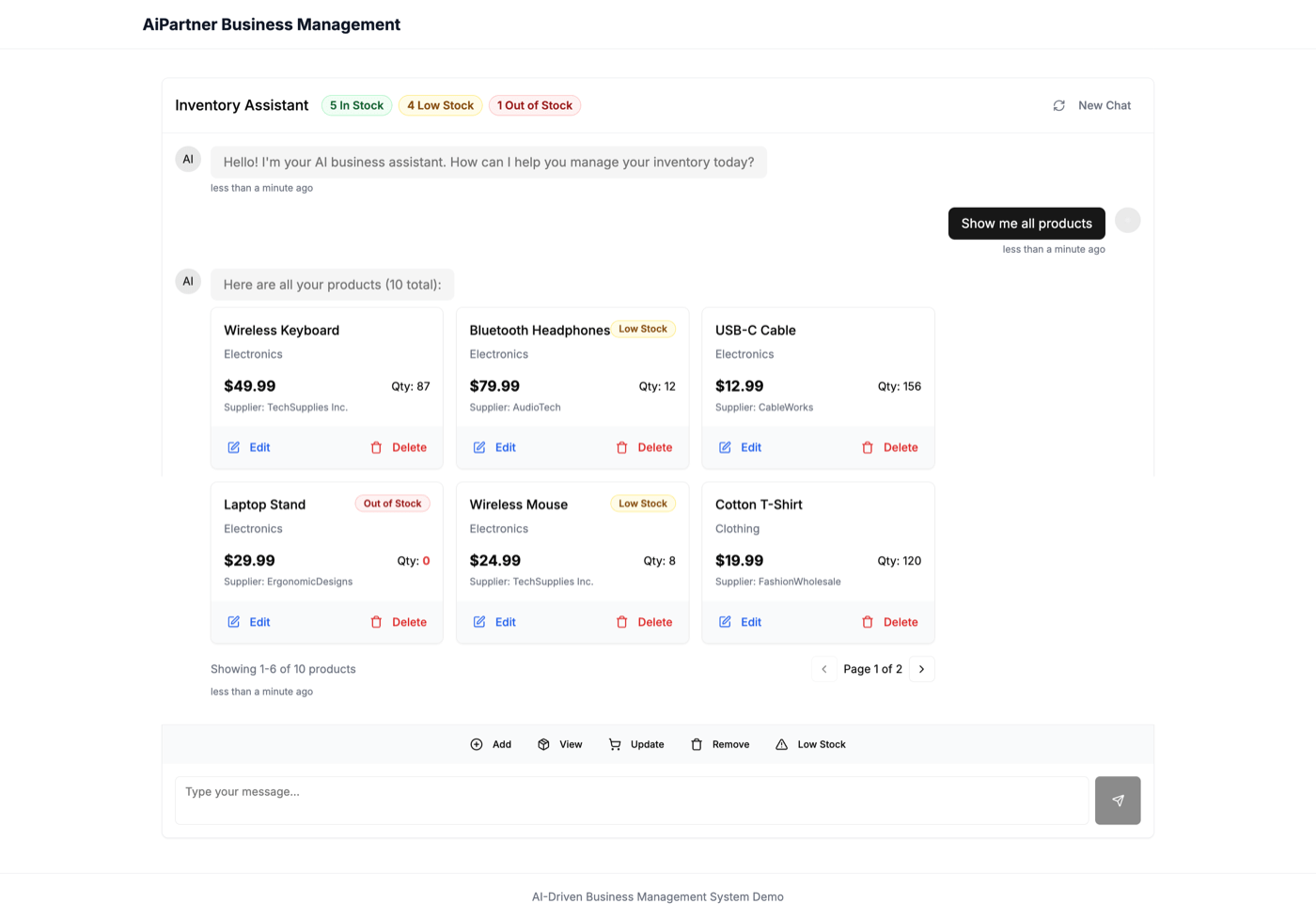
Centralized data layer with department-specific views and a single AI chat layer for cross-domain queries. Event-driven and cron-based automation.
Builder Sales OS
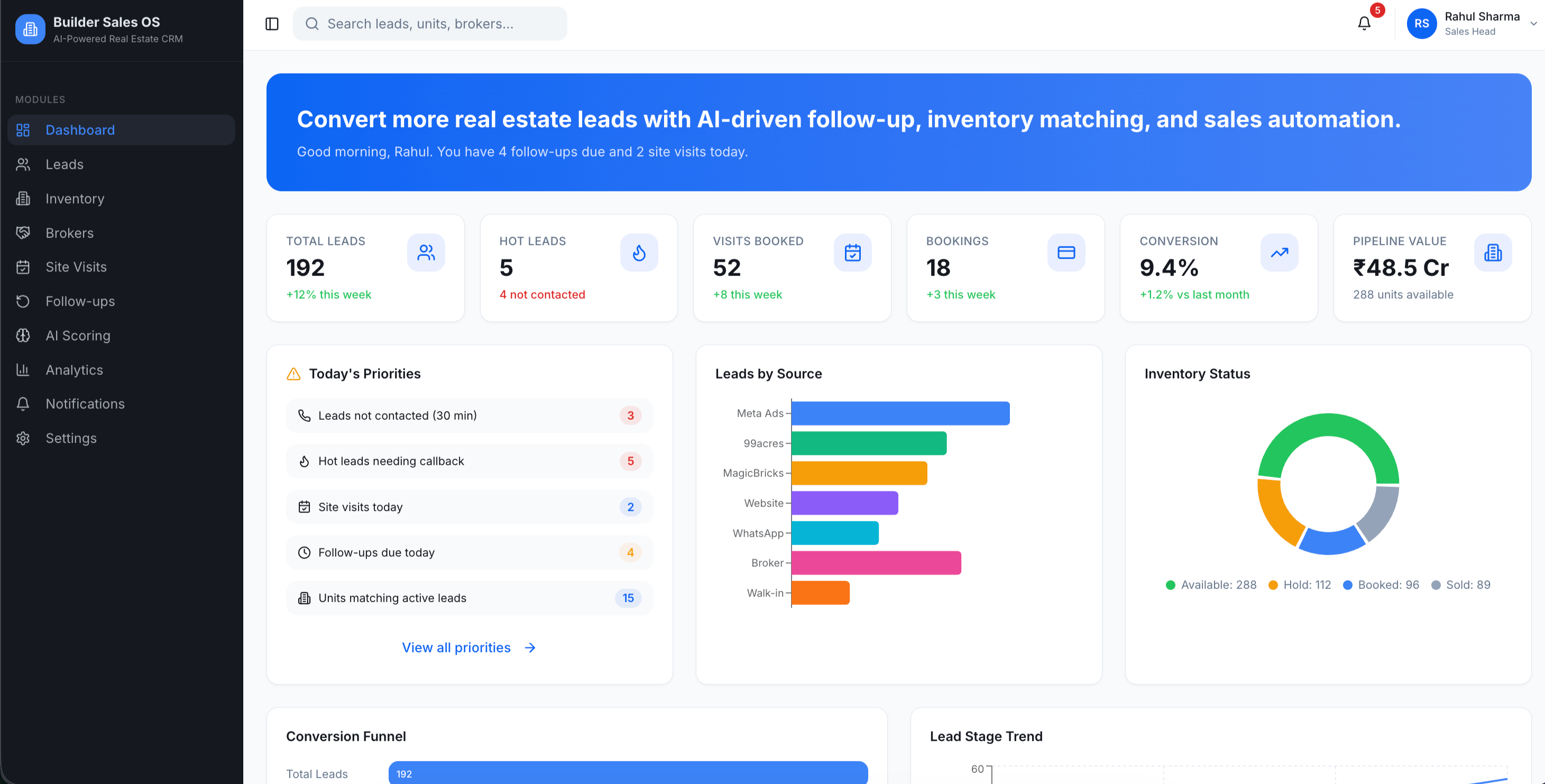
AI-powered real estate CRM concept that centralizes lead management, inventory matching, site visits, follow-ups, broker performance, and sales analytics.
Need a Similar System?
I design AI-native platforms, operational software, internal tools, workflow systems, and business applications.